
Your Legacy family file must first be converted to SQLite format for use by the Families app, then transferred to your mobile device.
There are two ways to transfer files between the PC and your device using Families Sync: Wi-Fi and USB. Wi-Fi transfer requires that your device has a Wi-Fi connection to the same network as your PC. USB transfer involves connecting your device to the PC using a USB cable. You’ll also need iTunes installed on the PC for a USB transfer. Each method has its pros and cons. Wi-Fi transfer is simpler and more straightforward to use but is slower than USB. However, unless you have a very large family file or a large number of media files, we recommend using this method. USB transfer is much faster but a little more complicated to use. We recommend using USB if you have a particularly large file or if for some reason you’re not able to use Wi-Fi transfer.
As an alternative to Wi-Fi or USB you can use Families Sync just to convert the file to SQLite format, then transfer the file independently to the device using email or a cloud service. We will illustrate this method of transfer below using DropBox.
The three methods of transfer are described below:
Using Wi-Fi
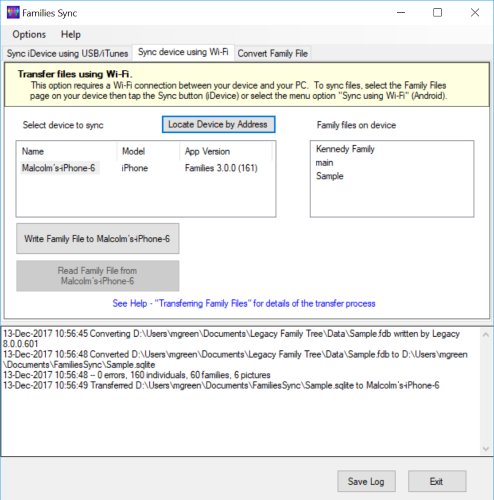
Run Families Sync and select the “Sync device using Wi-Fi” tab. Select the Family Files View on your device and tap the Sync button:
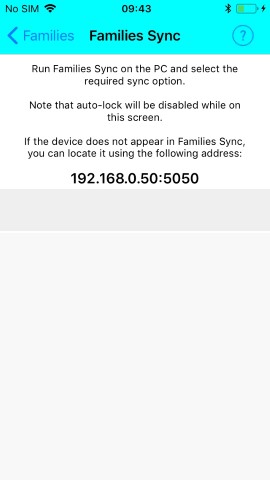
If you have iTunes installed on the PC, the device should appear in the list of devices in Families Sync. If it fails to appear, tap the “Locate Device by Address” button and enter the address displayed on the device’s Sync screen.
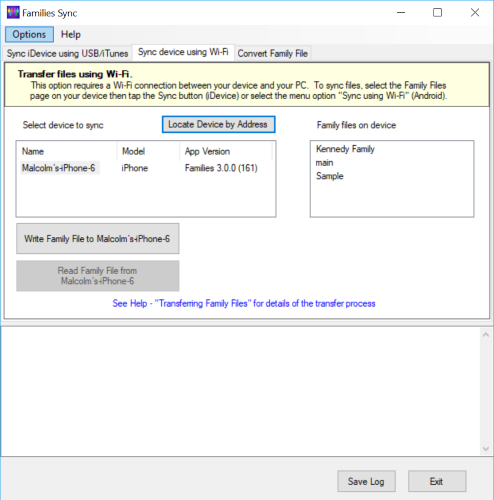
Tap the “Write Family File to …” button. The dialog displayed shows the family file to be converted to SQLite and transferred to your device:
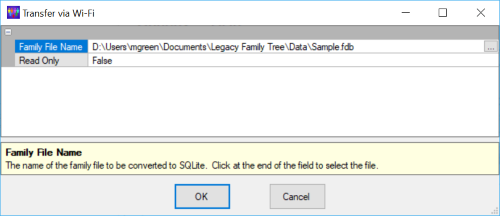
The file shown will usually be the same file that you transferred the last time you used Families Sync so that there is no need to change it. The Read Only field enables you to indicate that you will not need to make changes to the file on your device and will not be transferring it back to your PC later. Selecting Read Only also simplifies the user interface on the device by eliminating all update options.
If you do need to select a different family file, tap at the end of the file name field to obtain a file selection dialog. Otherwise click OK to continue.
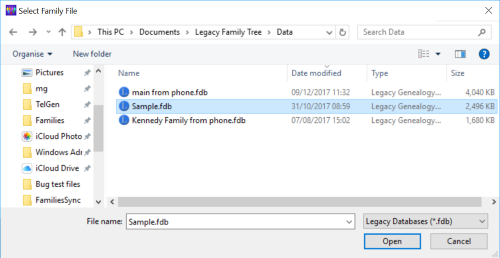
This screen allows you to select either Legacy database files with the extension .fdb or GEDCOM files with the extension .ged. Select the required file type, navigate to the required folder and select the file. Click Open to return to the previous screen, then click OK.
The file will be converted to SQLite format, with any errors being displayed in the lower panel. It will then be transferred to the device and when complete, a summary message will be displayed:
Using USB
Run Families Sync and select the “Sync iDevice using USB/iTunes” tab. Select the option “Write Legacy File to Device” then click Next. The dialog displayed shows the family file to be converted to SQLite and transferred to your device:
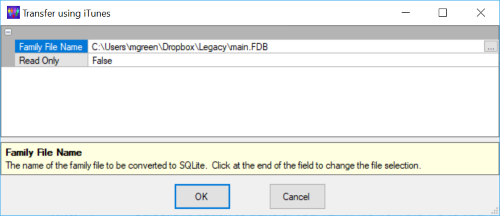
The file shown will usually be the same file that you transferred the last time you used Families Sync so that there is no need to change it. The Read Only field enables you to indicate that you will not need to make changes to the file on your device and will not be transferring it back to your PC later. Selecting Read Only also simplifies the user interface on the device by eliminating all update options.
If you do need to select a different family file, tap at the end of the file name field to obtain a file selection dialog. Otherwise click OK to continue.
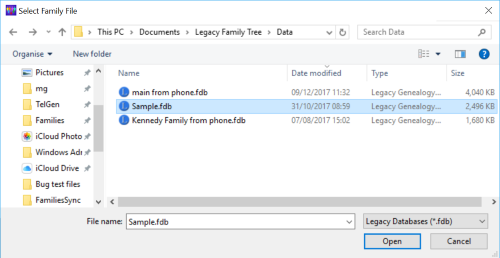
This screen allows you to select either Legacy database files with the extension .fdb or GEDCOM files with the extension .ged. Select the required file type, navigate to the required folder and select the file. Click Open to return to the previous screen, then click OK.
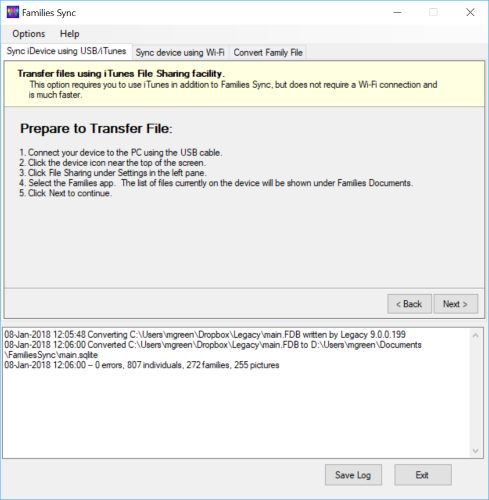
The file will be converted to SQLite format, with any errors being displayed in the lower panel:
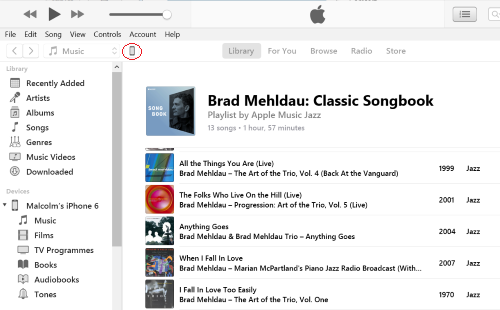
Connect your device to the PC using the USB cable. Run iTunes and click the device icon (shown below circled in red):
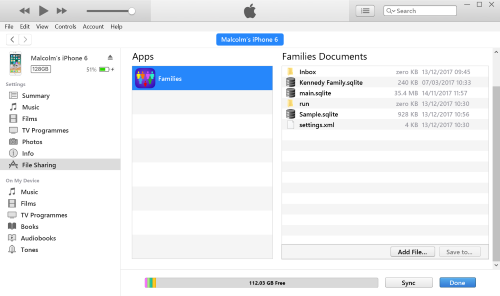
Under Settings in the left-hand pane, click "File Sharing". Under Apps in the central pane, click "Families". The right-hand pane will now show the files on your device (note that you may need to scroll down to see these).
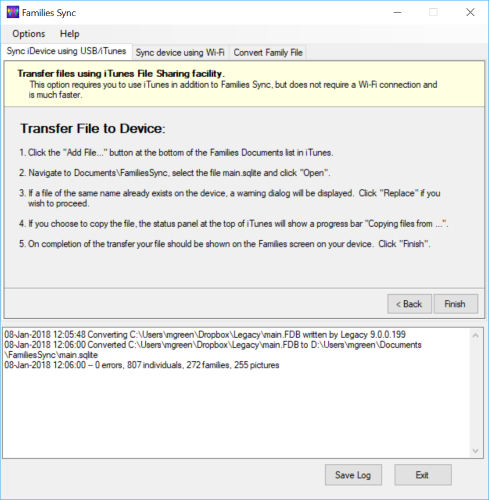
In Families Sync, click Next to view the next set of instructions:
In iTunes, click the "Add File" button. A file selection dialog will be displayed:
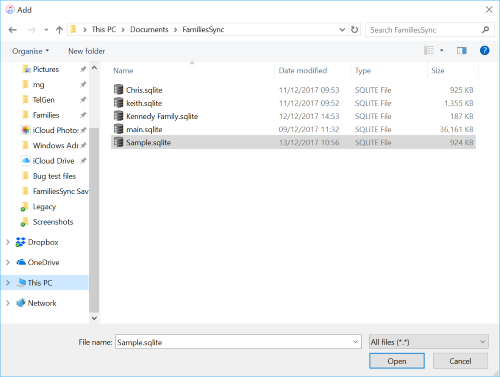
Navigate to Documents\FamiliesSync, select the SQLite file to be transferred then click Open. iTunes will copy the file to your device.
In Families Sync, click Finish. In iTunes, click Done and exit iTunes if no longer required.
Using Dropbox
Run Families Sync and select the Options>Settings menu item. Set the value of the setting Default Path for SQLite files Transferred Independently to a subfolder called Families within your Dropbox folder (create the folder if it doesn’t already exist). Select the “Convert Family File” tab and click “Convert to SQLite File”. The dialog displayed shows the family file to be converted to SQLite and transferred to your device:
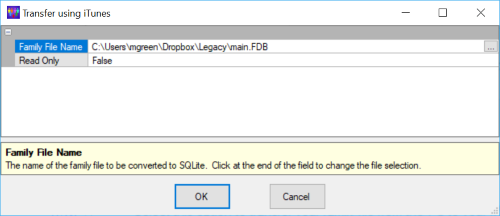
The file shown will usually be the same file that you transferred the last time you used Families Sync so that there is no need to change it. The Read Only field enables you to indicate that you will not need to make changes to the file on your device and will not be transferring it back to your PC later. Selecting Read Only also simplifies the user interface on the device by eliminating all update options.
If you do need to select a different family file, tap at the end of the file name field to obtain a file selection dialog. Otherwise click OK to continue.
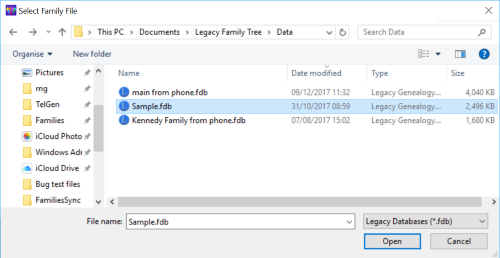
This screen allows you to select either Legacy database files with the extension .fdb or GEDCOM files with the extension .ged. Select the required file type, navigate to the required folder and select the file. Click Open to return to the previous screen, then click OK.
The file will be converted to SQLite format, with any errors being displayed in the lower panel. If your PC has internet access and Dropbox syncing is enabled, the SQLite file should now be automatically uploaded to Dropbox. Note that this may take some time if it's a large file; you can check on progress by hovering over the Dropbox icon in the Windows task bar.
Now run the Dropbox app on your mobile device, navigate to the Families subfolder and tap the name of the SQLite file just uploaded (if it's not shown, the upload may not have completed yet). The file will be downloaded to your device. The screen will probably say "No Preview Available". Tap the "…" icon at the top right of the screen then tap Export then Open in… A list of apps in which the file can be opened will be shown. Tap "Copy to Families" and the file will be transferred to Families. If there is already a file of the same name you'll be asked to confirm that you want to overwrite it. The Family Files View will then be displayed, showing the file just transferred.
The above instructions apply to Dropbox, but the process is similar for other cloud services.